
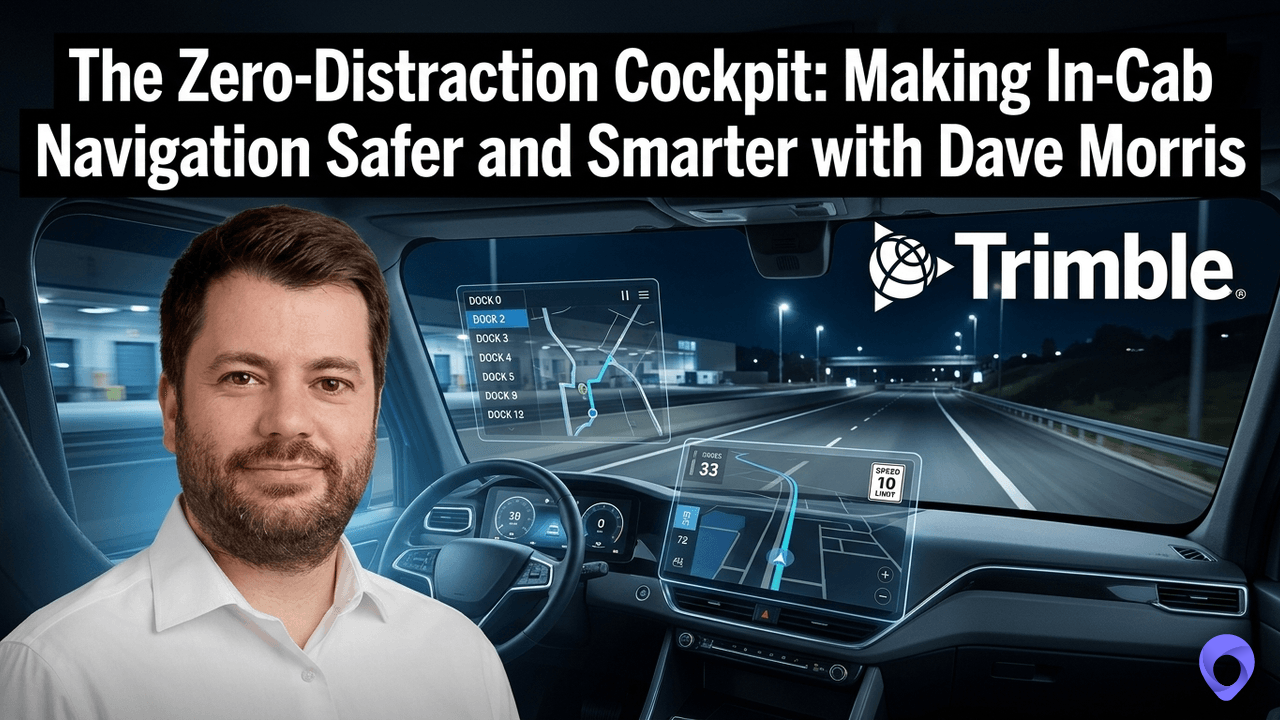
In “ The Zero Distraction Cockpit: Making In-Cab Navigation Safer and Smarter”, Joe Lynch speaks with Product Manager at Trimble, Dave Morris, about how AI voice control, truck-specific navigation, and precision gate-to-dock routing eliminate in-cab distractions and keep drivers safe.
About Dave Morris
Dave Morris is a Product Manager at Trimble with 10+ years focused on mobile experiences, including CoPilot. His background spans partner management, sales engineering, and product management, bringing a wealth of experience to mobile product development.
About Trimble
Trimble Transportation provides fleets with solutions to create a fully integrated supply chain. With an intelligent ecosystem of products and services, Trimble Transportation enables customers to embrace the rapid technological evolution of the industry and connect all aspects of transportation and logistics — trucks, drivers, back office, freight and assets. Trimble Transportation delivers an open, scalable platform to help customers make more informed decisions and maximize performance, visibility and safety.
Key Takeaways: The Zero Distraction Cockpit: Making In-Cab Navigation Safer and Smarter
- In “ The Zero Distraction Cockpit: Making In-Cab Navigation Safer and Smarter”, Joe Lynch speaks with Product Manager at Trimble, Dave Morris, about how AI voice control, truck-specific navigation, and precision gate-to-dock routing eliminate in-cab distractions and keep drivers safe.
- Elimination of Catastrophic Routing Errors: Unlike consumer GPS applications that treat heavy vehicles like passenger cars, Trimble CoPilot uses PC*MILER commercial navigation data tailored to specific vehicle dimensions, axle weight limits, and hazardous material restrictions—preventing bridge strikes, illegal detours, and reducing out-of-route mileage by up to 10%.
- Hands-Free In-Cab Voice Control: The CoPilot Driver Assistant utilizes AI-powered natural language voice commands, allowing drivers to search for amenities, adjust routes, or check live weather and traffic without taking their hands off the wheel or eyes off the road.
- Enhanced Driving Safety with Motion Lock: To eliminate distracted driving and keep drivers focused, physical touch interactions on the dashboard or tablet are locked while the vehicle is in motion.
- Precision Gate-to-Dock Guidance: By using precise, geofenced commercial location data for over 6 million places, CoPilot guides drivers past generic street addresses directly through truck-specific entry gates and straight to exact dock doors, eliminating the delays that account for up to 80% of last-mile friction.
- Single Source of Truth Between Cab and Back Office: Because CoPilot shares the same routing engine and data as back-office dispatch systems (PC*MILER), the exact miles planned by dispatch match the miles driven in the cab, resolving discrepancies in billing, fuel tax calculations, and driver pay.
- Predictive Parking and Hours-of-Service Management: CoPilot leverages machine learning and real-time integrations to predict parking availability and alert drivers to safe rest options before their hours-of-service limits expire—or with a single tap of an emergency coffee cup button.
- Hyperlocal Weather and Hazard Mitigation: The platform provides proactive alerts for upcoming traffic slowdowns, road closures, and severe weather conditions like high winds and low visibility, giving drivers and dispatchers the intelligence needed to re-plan routes safely.
Learn More About The Zero Distraction Cockpit: Making In-Cab Navigation Safer and Smarter
Trimble Transportation | Linkedin
The High Cost of Wrong Turns: How Location Data Protects Freight Margins with Rishi Mehra
The Logistics of Logistics Podcast
[00:00:00] Hello, friends. Welcome to the Logistics of Logistics. My name is Joe Lynch. Thank you so much for joining us today. Today, I am at the Trimble Insight Conference in beautiful San Diego, California. And just as importantly, I’m talking to my friend Dave Morris, and today’s topic is the zero distraction cockpit, making in-cab navigation safer and smarter, with my friend Dave Morris.
How’s it going, Dave? Yeah, it’s going really well. Excited to be here. So Dave, please introduce yourself and your company I guess it’s Trimble, but what you [00:00:30] do and where you live. Sure. Yeah, my name’s David Morris. I am the product manager for Copilot, the enterprise-grade GPS application for truck drivers.
I’ve been the product manager for quite some time now, and yeah, I’m living and based in rural Wales. Incredibly introverted, so I think this is gonna be a boon for your podcast as, as we go through this. But I’ll certainly try my best. Oh, I thought that was a Boston accent. No, Boston, yeah, no I don’t even…
I won’t even attempt to do the to do an impression of that, so Copilot, there’s been a lot of discussion of Copilot at the conference because there’ve been some updates to it. Copilot’s [00:01:00] the commercial navigation that Trimble has. What problem is that solving for truck drivers? Yeah it’s a, it’s an interesting one.
Obviously, I would say that as the product manager for it. But at the end of the day, what we’re trying to solve for is a truck is not just a big car. And today when drivers are out there th- they may be using a consumer navigation. I won’t name any names, but that’s not giving them the safety and the efficiency that they need as they’re out there on the road.
And so the problem we’re trying to solve with this is making sure that we’re keeping those drivers [00:01:30] safe and efficient and consistent with the plan as we navigate them along the roads. And when they want to make a change or, pull over, I don’t want them messing with navigation.
They’re driving a very big truck. Ideally, they are not having to fiddle with their dashboard or a tablet. And by the way, we also, we’re gonna talk about commercial navigation, and we’re gonna bump into mapping. I did another episode with Rishi Mara, head of mapping, and [00:02:00] we touched on kind of the commercial navigation systems like Trimble versus the consumer ones that we all use.
And Rishi points out to me, I’ve interviewed him a few times, that- every time a truck is wedged under a bridge, that is not a Trimble customer. That is somebody who is using the consumer version of that software, which is fine, ’cause we’re not gonna wedge our cars underneath a bridge.
Yeah, absolutely. Whenever you see those news [00:02:30] articles or on the local news, the, the answer is always the same. Yep. It’s yeah, I was using this and it’s not fit for purpose.” So I wanna go through, again, we’re talking about zero distraction. So much of what we’ve talked about this week at the Trimble Inside Conference is safety, and a lot of it’s driver safety.
Project 61 is here talking about driver safety. There’s a company out of Kent- … england FleetSafe- … that I talked to today, and they are all about making sure drivers are ready healthy- … on the ready to get on the road. They’re using some of these… I wear [00:03:00] Whoop. And and there’s…
I could probably name a dozen others that are either rest, like Truck Parking Club. Everybody’s trying to help the driver be safer. And we recognize driving a truck is, needs your full attention, and yet we have this, this massive vehicle with all sorts of controls that you are gonna be tempted to touch.
Yeah, and it’s a consistent problem. Like you said there’s lots of different ways to help with that safety. But at the end of the day, yeah, [00:03:30] there are lots of tempting buttons and shiny things with- … within that cab. So it’s what can we do to help the driver still, get the benefit of those shiny buttons and the big red button without having to actually touch them?
Yeah. In yesterday’s keynote speak speech, the CEO, or maybe it was, might’ve been Michael Kornhauser- Michael, yep … talked into a mic about “Hey, I’m feeling tired.” And all of a sudden the navigation says, “Hey, at the next exit there’s a rest stop. At the two exits from now there’s a, a hotel.” It [00:04:00] gives you all the options, and so you’re just talking to that navigation which is a lot better than having to start fiddling with your phone or your tablet.
Yeah, absolutely. And, ’cause at the end of the day, if the driver wanted to do that type of work before, ideally they’d pull over and do it in a safe manner, but obviously then they’re not driving anymore. Yep. Alternatively they might tap the shiny buttons when they’re in- Right
motion. And again, that, that presents a danger. So yeah, this is a great new way to help drivers interact and change things and find parking or [00:04:30] check what the weather is like ahead- … or check the traffic without having to take- Yep … their eyes off the road. And I think there’s a lot of, companies, and I suspect, they’re trying to cut some corners financially by using the consumer version.
And, we all use ’em on our own- … on our own personal lives. Problem you run into with those is they aren’t made for trucking. So it could take you on a road that you’re not supposed to be on. It could take you, if you’re- got a hazmat load, you’re not supposed to be on certain roads.
But it also could take you to a place where, again, you wedge your truck under a [00:05:00] bridge. I think even more likely is it’s not going to direct you to the right places to get gas. It’s not going to suggest, “Hey, this, this way is faster, but this w- but has a toll. This way is five minutes slower.”
It’s not gonna have the same functionality that the professional mapping that Trimble provides has. Yeah. C- couldn’t agree more. A- like you said, at the end of the day it’s designed for you and me in our cars, and it’s about getting, us there [00:05:30] quickly. But that’s not always necessarily the, the thing that the drivers need.
Yeah. We wanna take them to the right place for a start. So what are the updates you guys have made to CoPilot in this last iteration? Yeah, I’ll just talk just briefly again on the voice piece if I may. We’ve brought in the ability for, for drivers to conversationally interact with CoPilot.
I would love to call it CoPilot’s CoPilot, but the branding team- … won’t let me do that. So it is called CoPilot’s Driver Assistant. And again, that’s just natural language, have a conversation with the mapping and the navigation. It’s interesting ’cause in a way, we actually tried to bring this to [00:06:00] market several years ago, but the technology wasn’t there at the time.
So again, the loud diesel engines roaring, the windows are down, the radio’s on, the driver’s singing maybe, and and we just couldn’t pick up the voice commands, so I’ve talked to truck drivers in the past on the podcast and off the podcast, and one of the things that strikes me is they’ll say something like, “Yeah, Joe, I start off my day going from point A to point B, and I have to plan out my day.
And then I get started, and I hit weather or I hit a traffic jam or I hit a road closure, and then I [00:06:30] replan my day. Maybe I didn’t get loaded fast enough to avoid the big traffic jam in Chicago or Toronto or wherever else you’re at.” And you said, “We plan and replan our day all day long, and then you finally get to the place where you’re supposed to deliver, and maybe they say, ‘Hey, y- you’re a little late or you’re a little early,’ whatever, whatever happened, you’re planning right up to the very end.”
And A lot of times they’re gonna be trying to make those [00:07:00] adjustments with their navigation with the information they have on their tablet, and if I can do it with natural language life’s a lot easier. Yeah, a- absolutely and I think you hit the nail on the head there with, the, it’s constantly changing.
The, the real world is a lot messier than, than we like to think it is. Yep. And so that perfect plan that you do at the beginning, it rarely happens, and yeah. Yeah, I told Rishi this. I just drove from… I live in the Detroit area, and I drove over to Naperville Illinois for the mergers [00:07:30] acquisition conference, and we’re supposed to be right downtown Naperville, and I got close to it, and it just started making me go circles around, and I kept s- it, th- I was using, consumer navigation, and it kept saying, “Turn left at Eagle Street,” and I was like, “That’s not Eagle Street.”
And then I would, after a while, just have to say, “I gotta get out of this loop,” and drivers can’t afford that. Yeah, absolutely. One, with the price of fuel as it is at the moment is that you certainly don’t want them having to repeat and detour and loop. So yeah, they can’t afford that, [00:08:00] especially from a fuel and a timing perspective.
Yeah, and the next thing I wanna talk to you about, and this is this is one I became aware of when I started talking to Rishi a few years ago, is I could use navigation to take me to a location. That location might be t- 25 acres. And it takes me to the front door, but where’s the dock?
‘Cause that’s what I’m going to, and from what I understand, the Trimble tool will take me to the dock as opposed to the front door, where [00:08:30] I don’t need to be. Yeah, ab- absolutely, and at the end of the day, what te- tends to happen is the driver’s given an address, right? But it’s usually the mailing address, and so if you actually followed that, you’d end up at the front door, which is not the place that the, the truck needs to go.
So we bring them in through the correct gates, and then we can take them in inside and take them to the correct dock as well. There’s also that thing about, You could be five minutes late, and you’re now getting dinged, so you were not on time and in full, and you go that’s no big deal.
How’s navigation gonna…” If it takes you to the front door and you say, “Hey, it’s dark, [00:09:00] it’s after hours, and I gotta get to a dock. I don’t know who to call, and it directed me to the front door, or it directed me to the purchasing office, and I gotta go across the street to the dock.” And I think that’s where you want to make sure you’re using some sort of navigation that’s been around that u- understands what a truck driver needs as opposed to what a consumer needs.
Yeah, absolutely. I think it comes back to marginal gains is how we look at it. So there’s lots of little things we can do to help the driver that ultimately [00:09:30] make their experience on the road better as a whole, and these, this is just one of the many little things we do. Yeah, Dave, that’s a kind of a consistent theme I’ve had in my head ever since I got here, and it started last year in his keynote.
The CEO CEO of Trimble started talking about, like- Can you get better 1 per- 1% better every day? And in this business, there is no easy button. There’s no silver bullet that’s gonna say, “Hey, this is how we get there.” So what you need [00:10:00] is a whole bunch of small gains, and I think that’s kinda Trimble’s approach is if we can get everybody in this ecosystem connected, perhaps we can start seeing these marginal gains from pulling information from one system to another.
Yeah. I think marginal gains, the 1% changes, that’s ultimately what we aim for. Again, big, massive changes, sure they have their impact, but at the end of the day, it’s the little things that add up. May encouraging drivers to fuel where you want them to fuel, rest where you want them to rest.
So [00:10:30] you guys are using AI for this. How does that work? Yeah. Behind the scenes I’m never gonna pretend I’m the, the most, world’s most brilliant AI engineer, so I have to rely on my tech guys for that. But, behind the scenes, we’re using the context that we know about the driver.
We know the vehicle that they’re in. We know where they’re going. We know the types of roads that they’re on. We know the types of roads they’re going to be on. We know the height of that vehicle. So all this extra context goes into helping us help the driver to make sure we’re suggesting the best things for them.
Yeah, and I think you also will say, [00:11:00] “These are the gas stations we wanna direct you to, and it might take you a little bit out of your way, but you agreed to that because of there’s a discount at that gas station.” Or you don’t agree to it, and you go and pay a little more and stay on this route.
You give them that option. And I’ve talked to people on my podcast about this, and they said the difference between their trucking company making money and losing money was Trimble navigation. Yeah. I- there’s a wonderful statistic that we have when we do our research and generally, we find that people who’ve used Co-Pilot [00:11:30] and follow it tend to save about 10% on their mileage out there.
And that can be through keeping them safe and compliant or, as you said, making sure that they’re fueling at the right places or taking their breaks at the correct locations, getting into the, into the correct gates and just saving all of that time and money. I kinda think in this environment where the nuclear verdicts, I don’t know if you have those in the UK, but- We do have them for the Traffic Commissioner, yes.
Yeah. So when we have these nuclear verdicts, which are these really high dollar lawsuits that trucking companies are losing, a lot of times the way you [00:12:00] lose is the attorneys start asking for all of your documentation, how you do business. And if they find out, oh, you don’t have a professional navigation system, it’s just one more thing.
And then they’ll say, “Can you show us, document your training?” Maybe you did the training, didn’t document it well. It’s one of those things where it’s very difficult to show, we’re getting better ’cause we have technology, but traditionally been very difficult for it’s the smaller trucking [00:12:30] companies, maybe a dozen trucks, to show, yes, we’re 100% compliant to all the laws we need to be compliant to.
And I think, You don’t have that it doesn’t bode well for you because they, it doesn’t necessarily… You don’t have to be proven that you did the wrong thing in the accident, they just prove that you did everything wrong up to the accident. Yeah. And I think proving that, like you said is obviously the key point.
So anything you can do to help with that, so you’ve provided the necessarily tool, the necessary tools, it’s almost like an insurance policy for when- Yeah … when these things [00:13:00] go wrong. So I wanna circle back and talk about that, the last, I think I can call it the last 500 yards. I don’t know if you have yards over there.
No, we’re still yards. Okay. So the last 500 yards, a lot of the delays happen in that last 500 yards, where they get to the facility and they don’t find the dock they’re supposed to be at. And, e- every major brand, every major company now manage, has some version of on time and in [00:13:30] full. And boy, what a heartbreak it is to get there with a little time to spare, only to find out, “I can’t find the right dock and I’m gonna get dinged.”
How do you guys help them with that? Yeah, we help through we actually map out these facilities, the distribution centers, intermodal yards within there. So that allows us to give the driver the correct guidance even once they’re within the facility. So once they’re off the main roads, we can start to guide them to the correct spot within the location as well.
Yeah. So you have some of these are geo-fenced, right? That’s right, yeah. So historically, the way [00:14:00] things have been geo-fenced in the past, it would always be, we call it a circle geo-fence. It’s just you put a point on the map, maybe add a couple of hundred yards around it, and then when the vehicle would break that geo-fence, things would happen.
You know- … maybe they need to sign for things or whatever, but it was never accurate. And so we’d always go in, in our system, accuracy is so important for truck drivers, so we would go in and really add accurate geo-fences around those locations. For those people who don’t run into that every day, what is geo-fencing?
Yeah, geo-fence i- is is ef- effectively a mapping representation of a facility. [00:14:30] So it might be a square around a yard. And when the user’s location enters or leaves that, you want something to happen. Yeah. So for example, as I break that geo-fence, as I, as my vehicle enters it, I want to tell that driver, “There’s a pothole in front of you.
Be careful. Go around it.” Or flagged it, that you’ve arrived and you’re- You’ve arrived … gonna be judged on that time- Judged you’ve arrived and- … not when you got unloaded. Yep, you’re gonna be judged, and here’s the things you need to do. Yep. And again, there’ll be… i’ve have written down 80% of the delays that we have are in [00:15:00] those last 500 yards, and- Yeah
That’s a little heartbreaking when you consider you drove across the country. Exactly. And again, think about it as well from a little bit of a, an anxiety and driver stress piece. You’ve just done that long drive your energy’s low and your mental capacity might be a little bit drained from all of that, and now you have the most complex part of the journey to do.
Yeah. Dave I’ve learned this while I was here this week that- There’s often discrepancies between the back office and the dispatchers who said, “Hey, this is the [00:15:30] route. We want you to go down this expressway, this road, then we want you to stop and get gas here, and then we want you back in the expressway.
We want you to rest for the night here, and then, finish the next day.” And then the driver doesn’t actually do that, and probably for good reason. That– I’m sure the dispatchers and the planners recognize that. But those dis-discrepancies it’s the planned versus the actual, and you want to be able to s- understand what is the [00:16:00] actual so you– next time you’re planning that.
But this is also causes billing errors and fuel tax discrepancies and a whole bunch of other problems Talk about those, talk about that problem and how you guys go about solving it. Yeah it’s a very interesting problem. Generally, it’s, it… I find it interesting because the back office has spent so much time making this perfect plan.
You know where you want them to go, you wanna avoid this toll, you wanna go down this road, and then the driver isn’t told that, or they might be told on a piece [00:16:30] of paper. But how do you monitor that as you go along? And so Trimble is in quite a unique position in the fact that a lot of that planning happens on our technology already- Yep
in the back office using PCMiler quite often, and then CoPilot, the navigation, shares that same data. So it’s effectively everyone’s, w- in the UK we say singing off the same hymn sheet. Yeah. I’m not sure if we say that in the US. Yeah, we say that. We say that. So everyone is singing off the same hymn sheet and we’re all we’re all following that.
And then probably most importantly to that as well is you’ve given that plan, but if the driver did have [00:17:00] to detour and there, there is a difference, why did that happen? Is it because of traffic? Is it because there was a construction zone that just popped up? And, legitimate reasons for why they had to detour.
Yeah. I can imagine a driver, if they know what they’re supposed to, they would prefer to do that- … because the plan was planned probably ’cause it was best. But as you, y- you might run into a whole bunch of issues along the way, and I don’t blame them for, obviously getting off track.
But- Yeah … the closer we can get plan versus actual, [00:17:30] the better, and I need a tool to keep me getting there. Yeah. A- absolutely. Like I said, it’s, the real world isn’t as clean as we’d like it to be, so sometimes that plan does differ. But the more information we, and intelligence we use to create that backup, backend plan or that back office plan, the more likely it is that the driver’s able to follow it successfully.
Yeah. Dave, I wanna talk about this. And so I saw the demo yesterday the keynote speech. So this was the CoPilot driver assistant. So I wrote [00:18:00] down some ideas about this that I’ve gleaned from the from the talk, and one is AI-powered hands-free control. What does that do? Yeah. So ultimately, we wanna keep the drivers safe in- inside that vehicle, and one of the probably most unsafe things they can do is start pushing those shiny buttons.
And so when we talk about hands-free interaction, it’s using your voice. It’s talking to the software in a conversational way so that the drivers can keep their hands on the wheels, or hand on the steering wheel [00:18:30] and and keep their eyes on the road. And ultimately they’re conversing with technology rather than touching it to do the things they need to do.
Yeah. I’ve heard people talk about the trucks as being connected k- the connected truck, and they have to all sorts of technology, but ideally they’re not entering information into the system directly. They’re pulling information from other systems. And, Yeah, the only way to do that the only information I want them putting in is voice.
There’s another thing which is this [00:19:00] PC Miler commercial navigation. PC Miler is another solution that Trimble’s kind of famous for. I think every contract I’ve ever seen has PC Miler in it, and that’s usually saying, “We will use PC Miler to determine how far from point A to point B.” You don’t take a different route and you say, “Oh, it was 350 miles.”
And I go, “PC Miler says it’s 345, so that’s what we’re gonna use.” So how does this commercial navigation, the PC Miler that’s been around for 40 years, [00:19:30] interact with CoPilot? They’re effectively the, the same technology but just painted in a different way. So that PC Miler map data, the routing algorithms, the traffic data, all of that wonderful stuff that goes into creating those plans and as part of driver pay, it’s the same technology that powers CoPilot and the navigation that the driver sees.
It’s just presented in a different way, so it helps keep the– make sure that the drivers are using the same stuff that the back office sees. So next point here, and we touched on it a little bit, but I think it’s an [00:20:00] important one, gate-to-dock guidance. Talk about that. Yeah. And we spoke a little bit about when the driver gets to a location.
We know the mailing address is not actually where they need to be, so where they really need to be is at the dock, and you wanna get them there on time. So that means a couple of things. That means getting them through the correct gate, so we wanna get them through the truck gate. There could be many of those, so you wanna get them through the best truck gate as well.
And then once they’re within that facility, you want to be able to provide them the guidance within that yard or that DC to make sure that we’re getting them to [00:20:30] the right dock. Yep. Yeah. It’s the, the nature of this whole conference is everything’s connected and when everything’s connected, there’s a lot of blurring of the lines.
The next point I have here is in-cab safety and motion lock. Yeah. A-again, the, the last thing we want drivers to do is to interact with the software, and we know fleets and safety managers don’t want that either. But sometimes the temptation is always there. So what can we do to help with that?
And so there are capabilities within our [00:21:00] ecosystem that, so that the drivers can’t interact with the software at all when the vehicle is in motion, so it takes that temptation away. I notice that with my car a lot of times when I’m just trying to make a phone call. It’ll say re-more re-recent phone calls, but if I try and scroll it’s “That function not allowed while you’re driving.”
Yeah. Pull over and do it, yeah. And yeah and it- It’s irritating, but you, at the same time, you know you’re not, you’re driving distracted, yeah it’s hard to get mad at someone who’s trying to save your life. It’s [00:21:30] inam- inanimate- … so I can’t get too mad at it. But so what about predictive parking and hours of service integration?
Yeah, I think we all know by now that, parking is the, is one of the biggest challenges for drivers out there. There’s just not enough capacity out there, and when you do get to a location, you’re not sure if there’s even a space for you, and then, again, that’s time wasted if you then have to leave.
So we’ve brought in machine learning algorithms, AI, all of that wonderful stuff that, that everyone likes to talk about, to see if we can predict what parking is like at a location. So [00:22:00] a Tuesday on a 9:00, this place is full, but if you can get there 30 minutes earlier, you’re gonna have a chance to find a spot.
Yep. So here at the conference Truck Parking Club is here, which is fully integrated- … with Trimble, and so is Engine- … one of the big sponsors here. So they have all sorts of, hotels, but I think they have other options for drivers. And it’s just, it’s basically a transportation for corporate transportation that you can integrate into the Trimble system.
So you can make these [00:22:30] reservations without pulling over, downloading an app, and start looking for a hotel or a motel, if that’s what you’re looking for the night. And again, if your choice is to go park somewhere, they’re integrated with Truck Parking Club, and I believe others. I… There’s some other truck parking businesses here, so I wouldn’t be surprised if they’re gonna be integrated with all of them.
Now, let me ask you people are using Trimble in the UK. Are are the… D- do people need to p- park truck, pa- park their trucks overnight there? Yeah, exac- Sleep in them? Yeah, it’s the [00:23:00] same problem worldwide. You think, you’d think globally we’d be able to solve this problem, but every, every region of the world seems to have it.
Yeah, it’s a major problem in Europe and the UK as well. There, there just is not enough capacity. And I think the crazy thing, we started to have some analytics on it, and they’re saying Project 61 told me that truck drivers are sleeping less than five hours on average in their truck cabs, and that’s not enough.
We wanna help them. Obviously they would [00:23:30] like a f- good night’s rest too. Yeah. No one wants to wander through the world exhausted. But it’s one thing if you’re a techie wandering around a little tired you just dog it that day. A truck driver’s can, needs to be alert the entire time he’s driving.
Yeah. It’s a job that re- just requires so much attention from the drivers, and so yeah, anything we can do to help them rest. But you’re absolutely right. And from a Project 61 perspective, when I hear that, imagine a whole lifetime of, a working lifetime of only getting five hours of sleep.
That, that’s just not good for your health. Yeah, that’s maybe why [00:24:00] they’re dying- Yeah … at 61. The other hours of service stuff that is difficult is you know you’re running out of hours, but you’re in an area that you’re not necessarily familiar with, and you say, “I have to find a place to sleep, to stop, to rest, but I don’t know where.”
And, is there a safe haven, so to speak? I don’t want them having to pull over to do that because they’re running out of hours already. If I can do that with your co-pilot, and so could I say, [00:24:30] “Hey, I need a place to park my truck for the night”? Absolutely. You can do it through the voice as we spoke about before.
So they could ask for that. If they don’t wanna use the voice, there’s also this emergency coffee cup button, universal symbol for I’m tired and I need a break. Tap the coffee cup button and we’ll find you a safe haven as quickly as possible. Oh, that’s nice.
Weather’s another big deal. Traffic congestion, sudden slowdowns, construction. How does this new co-pilot driver assistant help me with that? Yeah, [00:25:00] weather is a… It’s one of those things where y- you don’t know it’s gonna impact you until it does. Obviously the more experienced drivers, people who can smell the rain coming sometimes and they’re able to do things with that.
Weather is only gonna get more erratic, I think, over the years, and it’s gonna pose a bigger problem. So it’s how can we help the drivers? Can we tell them days in advance that, they’re going to impact a, likely gonna run into a flood, a flooded road with heavy rain, low visibility? And what about whilst they’re on the road, weather conditions suddenly change?
Again, we can speak to them about that. [00:25:30] Yeah, I know there’s parts of the US where the– We all get heavy rain sometimes, but, Where it snows- … and obviously that’s a concern, but also wind- … is, can blow over trucks. And I know we’re getting a little closer to the point where we’ve always kinda looked at the truck driver as kind of the captain of his ship.
But I think we’re gonna get to a place where we say, “Hey we see wind at this speed. Time to pull over.” And you’re not the captain of the ship, because you might [00:26:00] be a little desperate to get home or to deliver, and you don’t want t- to stop, but for your own good. And I think before long I’ll be talking to you, and you’ll say, “Yep, we’re gonna predict the wind speed and tell you when it’s time to get off the road.”
Yeah, and we provide some of that already. The driver today, like you said, they make that decision, but alternatively, we could help the fleet or the driver find a way around that as well. Yeah, sometimes there’s a way around it. Sometimes it’s- Sometimes it’s not … it’s button down the hatches, right?
Yeah, and I was talking to [00:26:30] people not so long ago about weather, and out in one of the ports, I think maybe out in Los Angeles, they had a storm. And so imagine stacking up shipping containers, and these people had alerts saying, “Hey, the wind is gonna be such that you wanna unstack those,” and they said, “We did, ’cause we got that alert.”
The next m- business over didn’t, and some of the containers got blown off of their high perch [00:27:00] and landed on cars, and, could have obviously injured people. We’re gonna get to that place, because we can get to that place. Yeah, and I think we have to get to it. You need that hyperlocal weather access and weather details so that we can make decisions based on the best data that we have.
Yeah. And we already touched on this one, but I wanna hit it again- Sure We have the back office, the load planners, the dispatchers, and then we have the actual route-driven How do we reconcile those? [00:27:30] Yeah. Again, if it… ideally you wanna create that perfect plan, and then you want the driver to execute on it, and then really it’s we’ve created it for them to follow.
But what happens when the driver doesn’t follow it? Can we create a driver coaching moment so that the next journey is better than the last? So did you leave for preference, for your own reasons? Please don’t do that. Or you know something that we don’t in the back office? Yeah, and if we do, we can adjust what we do in the back office.
We might as adjust it. Let’s learn from the drivers so that the next driver who does that lane has a better experience. [00:28:00] I love it. I love it. I think that’s all I had for you today, David. Before I forget what’s been the bes- best part of this conference for you besides the podcast, which is obviously a highlight?
This actually was genuinely the thing I was looking forward to the most. So I… this is my first ever podcast. So I genuinely was looking forward to it. For me it’s… this is probably not the answer Trimble wants me to give, but I’m gonna give it anyway. I love coming to America. I genuinely love the US, and so any opportunity I have to come over here and experience the culture I love it.
We love to hear that. Yeah, I lo- I truly do love it over here, so [00:28:30] that’s been my favorite part. I think we were all very thrilled during the World Cup when people… and I don’t know what people were hearing in Europe, but people go, “Oh, it’s really cool here. I like it. People are very nice.”
And we’re like, “Wait, what were you hearing?” I… yeah, that’s probably a fa- I think especially for us UK people, like we are, a bit grumpy sometimes, so to see friendly people with smiles. I think our media lies to us. That’s what I think. Qui- quite possibly. Yeah. No, but I would say, like I said, I used to live here at one point.
I… not to be too hyperbolic on this, but I generally find Americans to be the kindest and most polite people I’ve ever met. Thank you. [00:29:00] I was just saying to somebody, and he’s from Europe, here, and I said, “What’s always fun de- about talking to people from England, whether it’s on the podcast or separately, is they seem, we seem to just bounce the same ideas back and forth.”
So I always think about rock and roll. They heard the blues, our blues singers that we weren’t listening to anymore, and said, “Hey, this is what we’re listening to.” And we’re like, “Hey, that sounds similar to what we used to listen to.” And and it’s funny because this happened a long time ago.
One of my friends said, “What are the [00:29:30] 10 best rock and roll bands? American rock and roll.” And I said, “Oh, Americans, okay.” He goes, “The Beatles.” He goes, “That’s a…” I go, “Oh, okay. Are you… All right. Led Zeppelin?” “No? Okay the Stones?” I don’t know. At some point, I was like, “Sc- like Beach Boys, rock and roll.” You get Eagles. You can have Eagles, yeah. Yeah, and I guess my point is th- they became so important to the culture that it- we just said it’s our own, like pizza. You can’t convince Americans we didn’t invent pizza. If you if you try and take fish and chips off [00:30:00] us, I think-
there, there could be war on that one, but, Anyway. David, thank you so much, and congratulations on the Copilot Driver Assistance. This is the kind of tool we absolutely, positively need for drivers, because this whole conference, there’s a, there’s how do we make money? But one of the things is also how do we do better for the drivers?
Because this, we heard it again at this conference, for a long time we said we have a driver shortage. Then we stopped saying we have a driver shortage, that we… driver utilization problem. Not driving. They [00:30:30] have 11 hours to drive, and we’re only driving them for five hours. Now Craig Fuller, who m- many of us trust- said we have a driver utilization problem again. So we need to make this a better job, and I think having tools like this makes it a better job. Yeah. Anything we can do to make the job a more pleasant experience it’s gonna make people wanna drive for longer in the industry, and bring new people, new blood in as well.
Thank you so much, Dave. No, thank you very much for having me. And thank all of you for listening to my podcast. Your support’s very much [00:31:00] appreciated. Until next time, onward and upward. Excellent. Thank you very much. Thank you so much, David. Thank you. Hopefully, that was okay, guys. That was excellent.